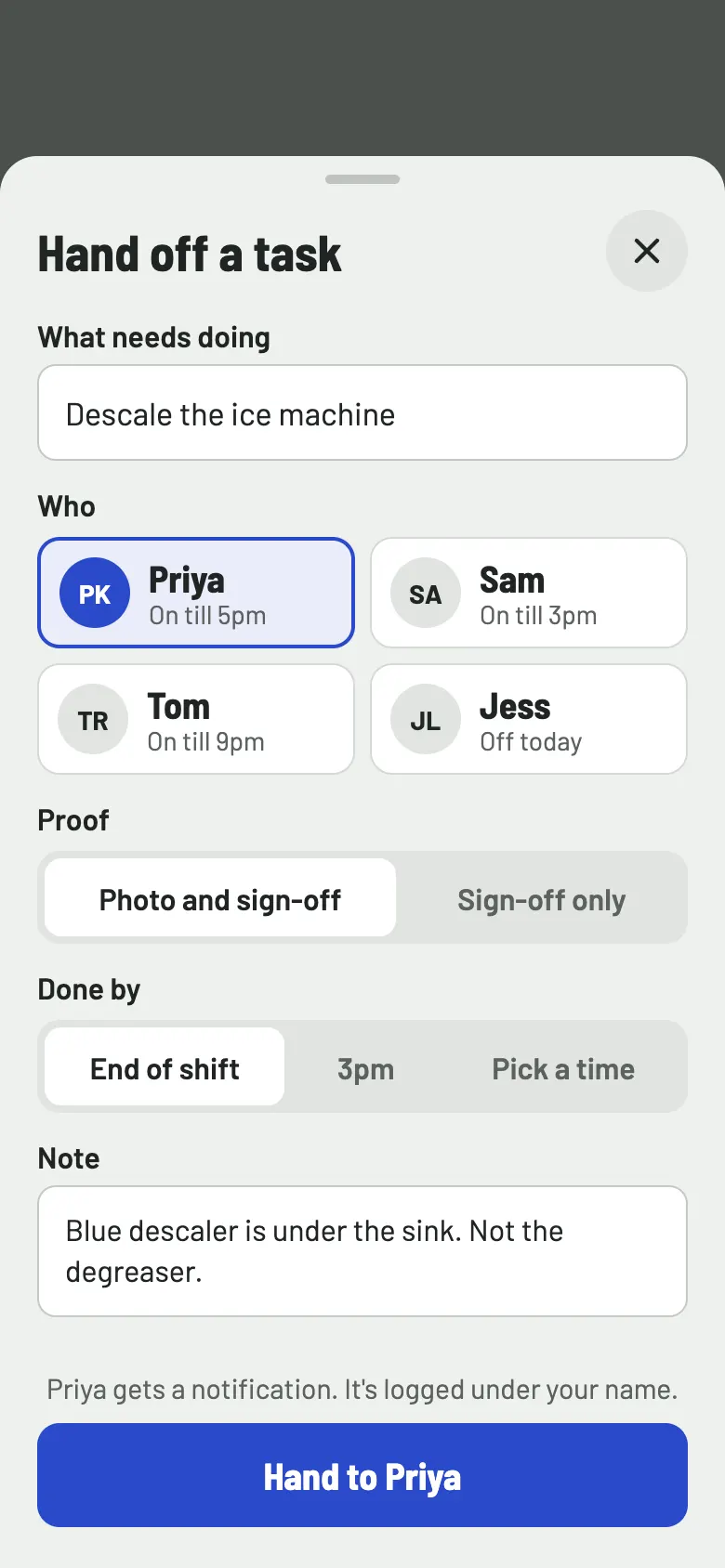
Priya
Descale the ice machine
By end of shift
Photo needed
KitchenPass is food safety checks for UK food trailers, cafés, takeaways and market stalls. Staff log fridge temperatures and checklists on their phones. When something needs doing, you hand it to a named person, and it comes back signed off with a photo.
Priya
Descale the ice machine
By end of shift
Photo needed
Tom
Change the fryer oil
Due 4pm
Sam
Wipe down the extractor hood
By 3pm
Photo needed
KitchenPass, on Priya’s phoneDave handed you a taskDescale the ice machine. Photo needed, by end of shift.
Most compliance apps give checks to a role. KitchenPass lets you hand each job to one person, so when you are not there you still know who is doing it, and afterwards you can see who did.
Three kinds of check cover most of a shift. Each one is a few taps, and each one records who did it and when.
9:00
Type the probe reading on a keypad built for it, with a minus key for freezers. The app tells you straight away if it is in range, and an out-of-range reading is flagged so someone rechecks it.
3.4°C
11:30
Opening, pre-service, cleaning, closing. Tick each item as you go. Your own lists, or start from the templates.
14:10
When a job needs proof, the camera opens from the task. The photo is saved with the sign-off, so nobody has to dig through a camera roll later.
Take a photo of the ice machine
Add the KitchenPass connector to your AI assistant (Claude or ChatGPT) and describe your business the way you would to a new starter. It sets up your fridges, checks and team. Later, ask it to hand out jobs or tell you what has been done today.
Connector address
https://api.kitchenpass.co.uk/mcp
You
What gets set up
You, the next morning
Checks are saved on the phone first and sent when it finds a connection. Nobody waits for a bar of signal to log a fridge, and nothing is lost when the market hall Wi-Fi drops.
No connection. Saved on this phone, and sent when it reconnects.
Today, Tuesday 22 September
Run a trailer and a café? Pick a colour for each at setup, and staff can tell at a glance which one they are logging for. Green, amber and red always mean done, due and out of range, and always come with an icon or a word.
Wise Guys Slices
Cheshire Oaks trailer
Tuesday. 3 of 11 checks recorded.
Today’s checks placed on the shift, 7am to 10pm. Now is 8:40am.
Harbour Coffee
Quay Street
Tuesday. 3 of 11 checks recorded.
Today’s checks placed on the shift, 7am to 10pm. Now is 8:40am.
Bao Down
Market Hall, stall 12
Tuesday. 3 of 11 checks recorded.
Today’s checks placed on the shift, 7am to 10pm. Now is 8:40am.
Night Owl Kebabs
High Street
Tuesday. 3 of 11 checks recorded.
Today’s checks placed on the shift, 7am to 10pm. Now is 8:40am.
Open the inspector view and hand over your phone. It is read only, so nothing can be changed or deleted. The inspector sees every check, every out-of-range reading and what was done about it, with names, times and photos.
Read only
Inspector view
Wise Guys Slices, Cheshire Oaks trailer. Records from the last 30 days.
Chest freezer, 22 September
You pay for each business you run, not for each member of staff. A trailer and a café are two businesses.
£[PRICE]
a month per business